Shyspace vs Slack
Slack is the team chat most people know. Shyspace is a young one that is end-to-end encrypted and runs without a server. We make Shyspace, so every claim about Slack below has a source, and we say where Slack is the better choice.
Facts checked on
The short version
Choose Slack if you need what a large, mature product gives you: phone apps, video calls, more than 2,600 integrations, single sign-on and compliance certificates.
Choose Shyspace if what matters most is that only your team can read what you write, us included, and that your history stays yours. We don't run a server, so we never hold your messages.
| Slack | Shyspace | |
|---|---|---|
| End-to-end encrypted | No:No. Encrypted on the way and in storage, with keys Slack holds | Good:Yes: messages, pages and files |
| Who can read it | Partly:Your team, and in some cases admins, Slack and the authorities | Good:Only the members of the workspace |
| Where it lives | Partly:On Slack's servers | Good:On your devices, with a sealed copy in a storage bucket you own |
| Message history | Partly:90 days on the free plan, all of it on paid plans | Good:All of it |
| Price | Partly:Free with limits, then from $8.75 per person a month | Good:Free. You pay your storage provider for the bucket |
| Without internet | Partly:You can read conversations you opened before | Good:You can read, write and search. It syncs later |
| Phone apps | Good:Yes | No:Not yet |
| Calls | Good:Voice, video and screen sharing | Partly:Voice |
| Integrations | Good:More than 2,600 apps | Partly:A command-line tool and an MCP server |
| Single sign-on, compliance certificates | Good:Yes | No:No |
| Open source | No:No | Good:Yes, AGPL-3.0 |
Encryption: who holds the keys
Slack says that "customer data is encrypted at rest and in transit by default". That protects your messages from someone listening on the network or stealing a disk, but not from Slack: its servers hold the keys and work with the readable text, which is what lets its search, summaries and integrations work.
Large customers can add Enterprise Key Management to the Enterprise+ plan. The keys are then yours, kept in Amazon's key service, and you can take access away. Slack's servers still read the messages to do their job, so this gives you control over the keys, but it isn't end-to-end encryption.
In Shyspace, messages, pages and files are encrypted on your device before they leave it. Only the members of the workspace have the keys, which are agreed with MLS, the internet standard for encrypted group messaging. The storage bucket only ever receives sealed data: its provider sees who writes, how much and when, but can't read any of it.
Who can read your messages
In Slack, these people can read them as well:
- Owners and admins can export public channels on every plan. On Business+ and Enterprise they can also get private channels and direct messages.
- On Enterprise plans, apps your company approves can export or act on messages and files for legal and data-loss rules.
- Slack's staff can, in limited cases: Slack says it keeps "strict controls" and that employees may not view customer data "unless it is necessary to do so".
- The authorities can, with a valid legal request. Slack says it tells the customer first unless the law forbids it.
In Shyspace, only the members of a workspace can read it. A private channel has its own key, so even the workspace's admin can't read one they aren't in.
That also means Shyspace has no way to export every conversation for a legal hold or an audit. If your company needs that, Slack has the tools.
Your messages and AI
Slack says: "We do not develop generative AI models using Customer Data." It does analyse customer data, "messages, content, and files" in its own words, for other models, such as the ones that suggest channels and emoji. To opt out, a workspace owner has to email Slack. When people noticed this in 2024, it caused a backlash.
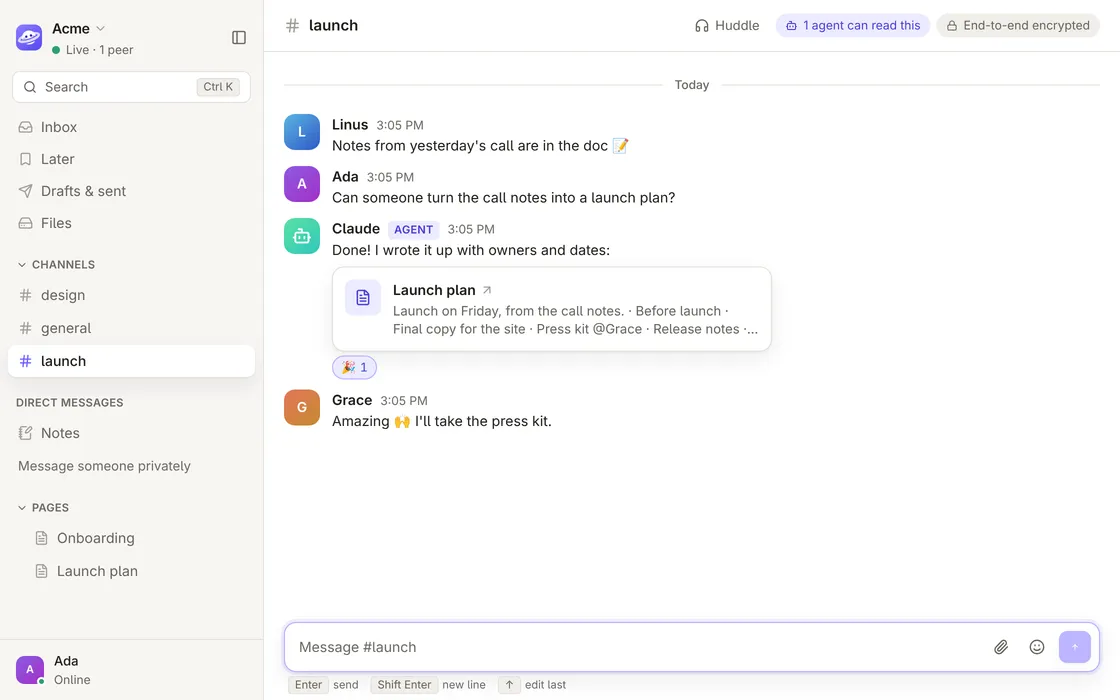
Shyspace has no AI built in, and nothing you write is sent to us. If you want an AI agent in a workspace, you add it yourself as a member with its own name, and a channel's header tells you when an agent can read it.
History and price
Slack's free plan shows the last 90 days of messages and files, and deletes anything older than a year. To keep your history you pay per person: $8.75 a month for Pro and $18 for Business+ when billed monthly, a little less when billed yearly. Prices outside the United States differ.
Shyspace is free and open source, under the AGPL-3.0 licence. It keeps the whole history: every member's device stores it, and the bucket holds a sealed copy. You pay only for the bucket, at your storage provider's prices. Text takes little space, so it's mostly files that make that bill grow.
Day to day
Both have channels, threads, direct messages, reactions, mentions, search and huddles. A few things differ:
- Slack's huddles have video and screen sharing, and group huddles need a paid plan. Shyspace's huddles are voice only, in any channel or direct message.
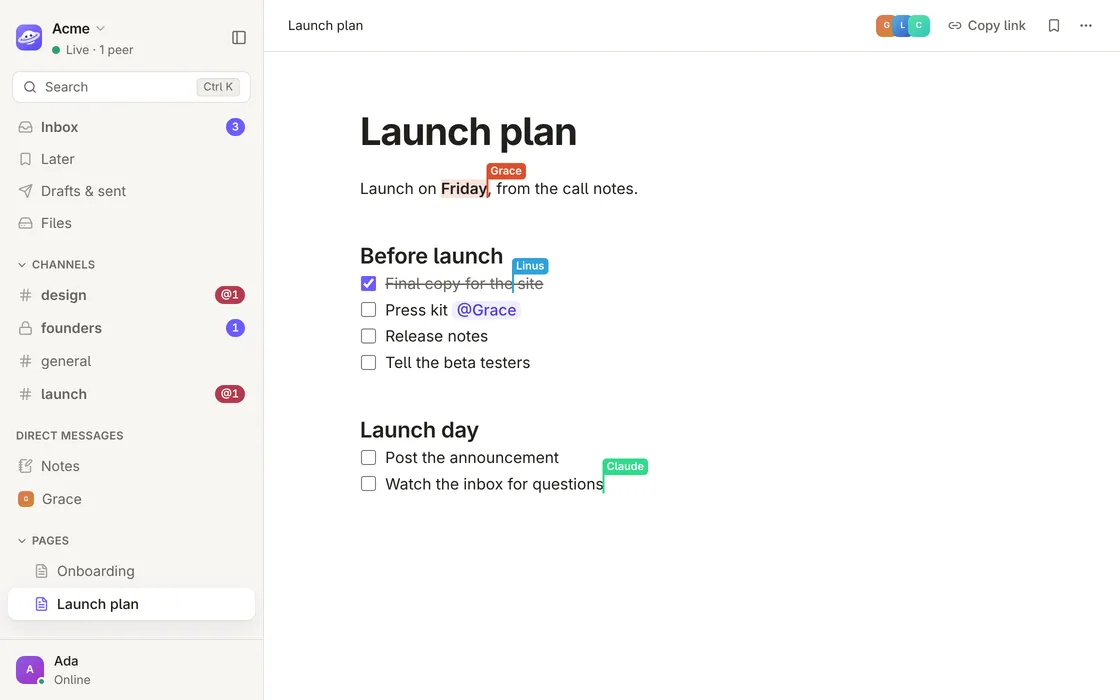
- Shyspace has pages: documents that several people edit at once, each with a named cursor. Slack's version is canvases; on the free plan you can read them but not create new ones.
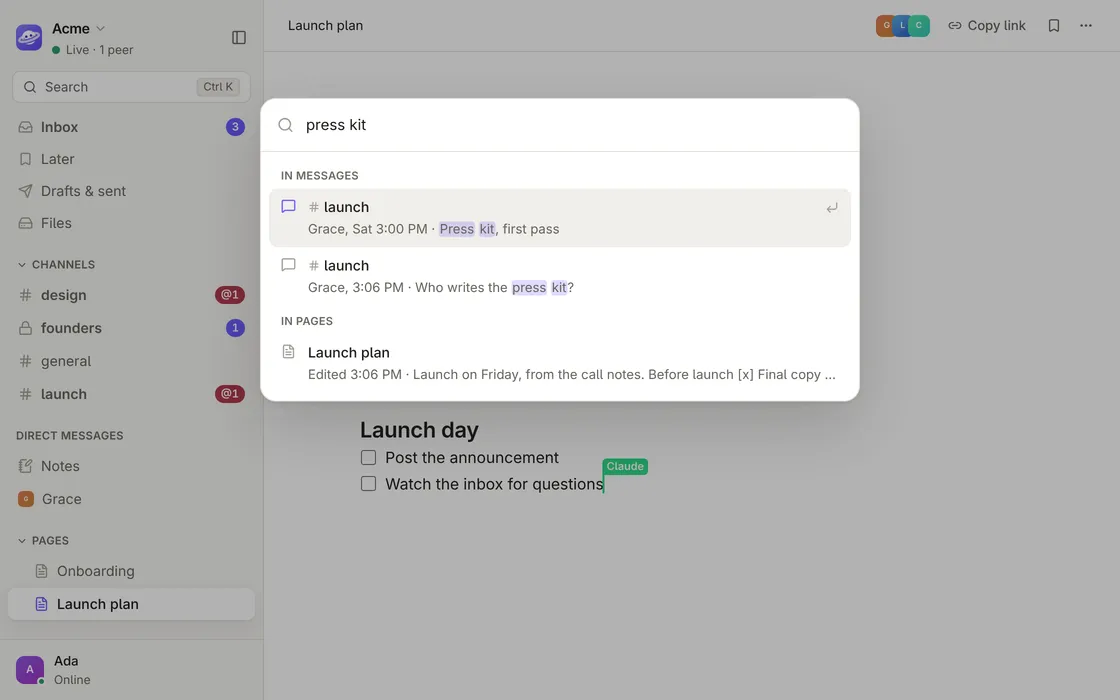
- Shyspace keeps everything on your device, so reading, writing and search work without a connection. Slack's desktop app can show conversations you opened before.
What you give up with Shyspace
Shyspace is young, and it asks more of you at the start:
- There's no phone app yet. It runs on macOS (Apple silicon), Windows and Linux.
- You bring the storage: before the first message, the admin sets up an S3-compatible bucket, which our guide walks through in 15 to 30 minutes.
- There's no catalogue of integrations, only a command-line tool and an MCP server for scripts and AI agents.
- Calls have no video or screen sharing.
- A workspace has one admin, and there's no single sign-on and no compliance certificate.
- Every member's app holds the bucket's keys, so a member could delete data unless the bucket is set up to keep it. The app checks this and warns you.
- It's new: still at version 0.1, and without an outside security audit. The security doc lists what it protects against and its known gaps, and the code is public.
Which one should you choose?
Slack is the safer choice if your team works from phones, depends on integrations, or has compliance rules to meet. It is a finished product with a company behind it.
Shyspace fits a team that works on computers and wants its conversations private by design, with no per-person bill for keeping its own history. It is free, so you can try it with a few people before you decide.
Sources
- Slack: Security
- Slack: Enterprise Key Management
- Slack help: Export your workspace data
- Slack help: A guide to Slack's Discovery APIs
- Slack: Security practices
- Slack: Data requests
- Slack: Privacy principles for search, learning and AI
- TechCrunch: Slack under attack over sneaky AI training policy (May 2024)
- Slack help: Feature limitations on the free version of Slack
- Slack: Pricing
- Slack: Apps and integrations
- Slack help: Use huddles in Slack
- Slack blog: A more efficient Slack desktop experience (July 2019)
- Shyspace: Security